
Inviting team members
Invite a teammate by email; they get a link that opens the app and joins the team automatically.
-
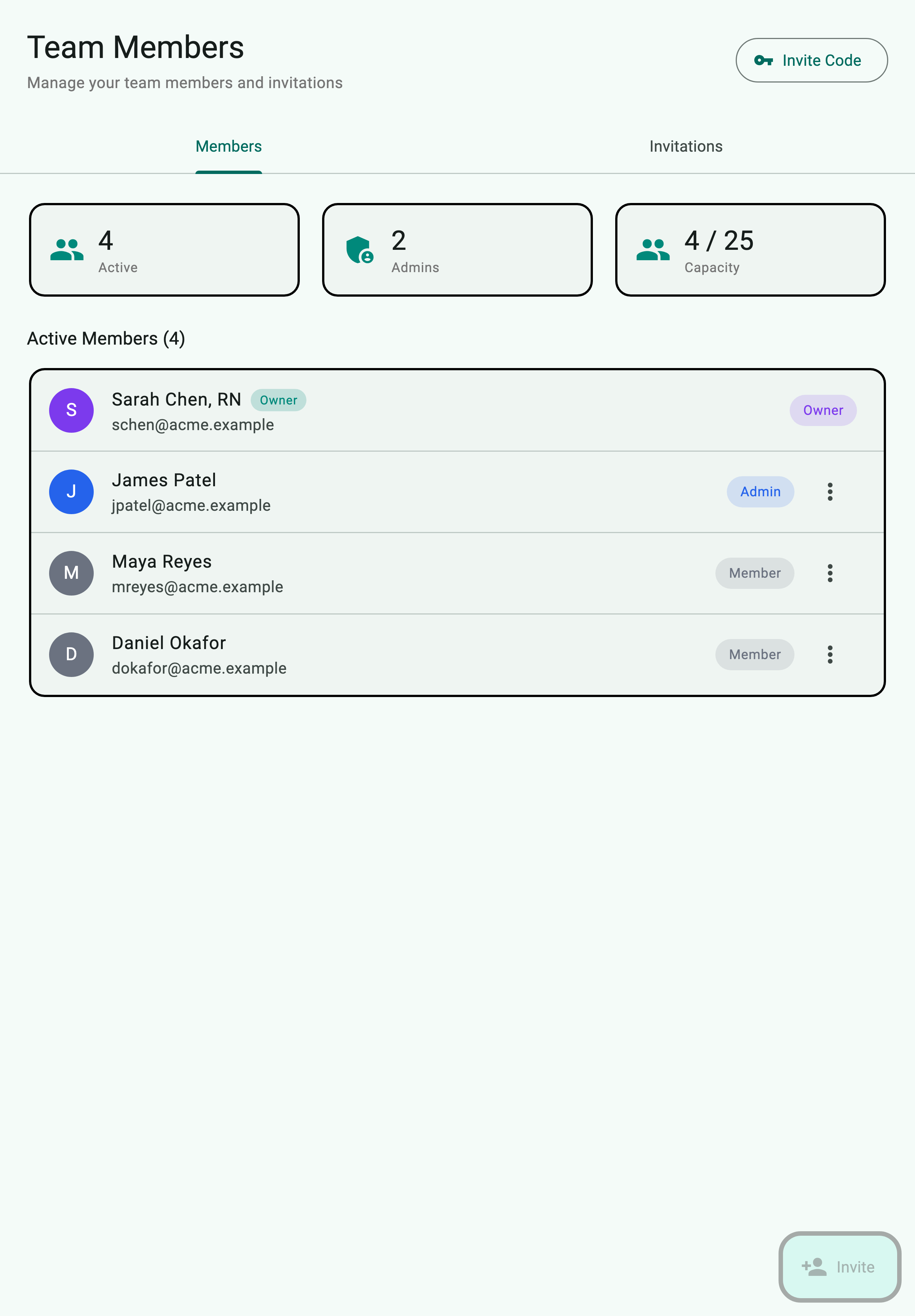
Open Settings › Team › Members. The members list shows everyone currently on the team along with their role.
-
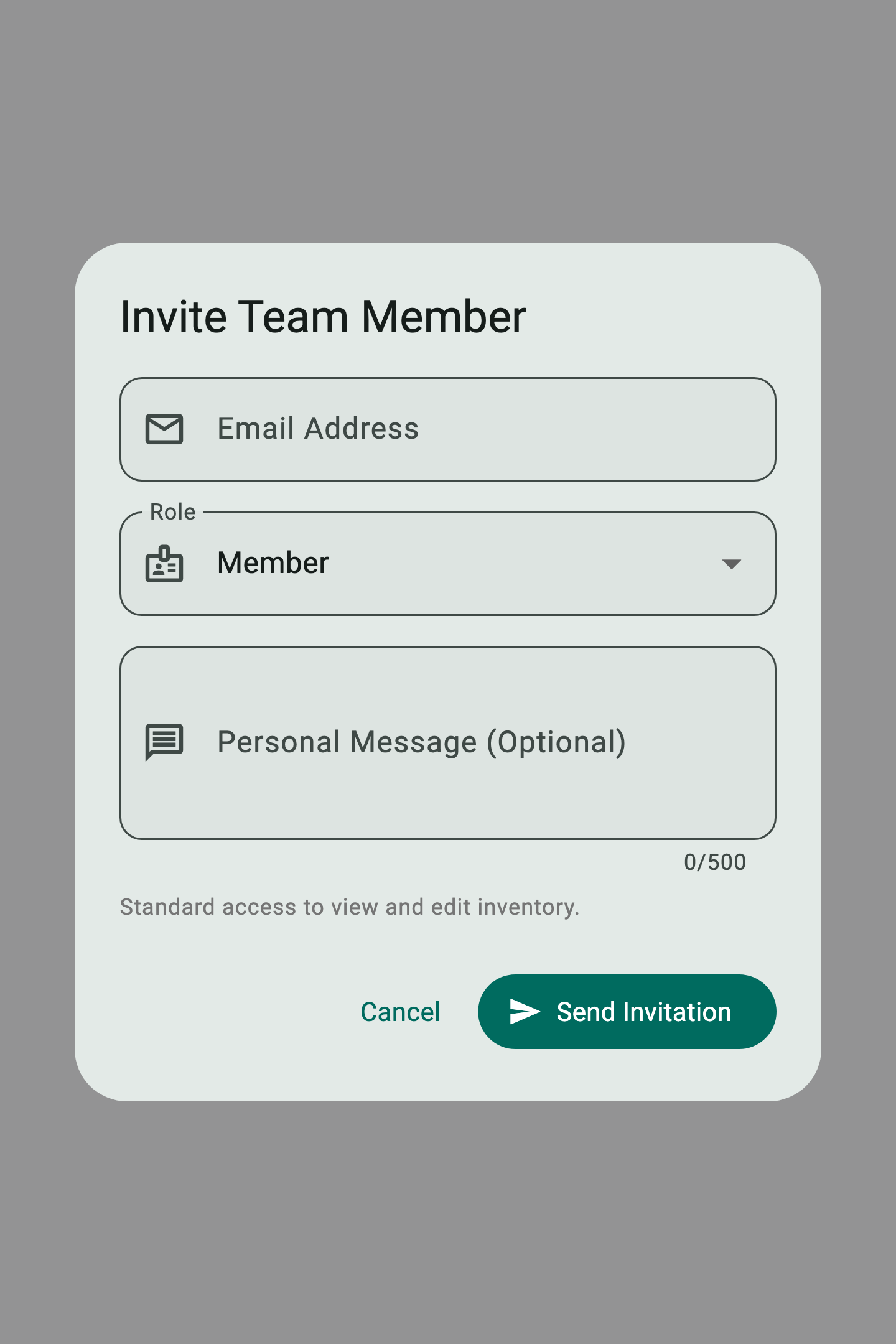
Tap Invite in the bottom right. The "Invite Team Member" dialog appears.
-
Enter the email address (1), pick a role from the Role dropdown — Admin, Manager, Member, or Viewer (2) — and add an optional personal message.
-
Tap Send Invitation (3). The invitee receives an email with a link; opening it on a device with the app installed completes the join. They appear in the Invitations tab as Pending until they accept.

